LED Portable Smart Projector: Easy Movie Nights Anywhere
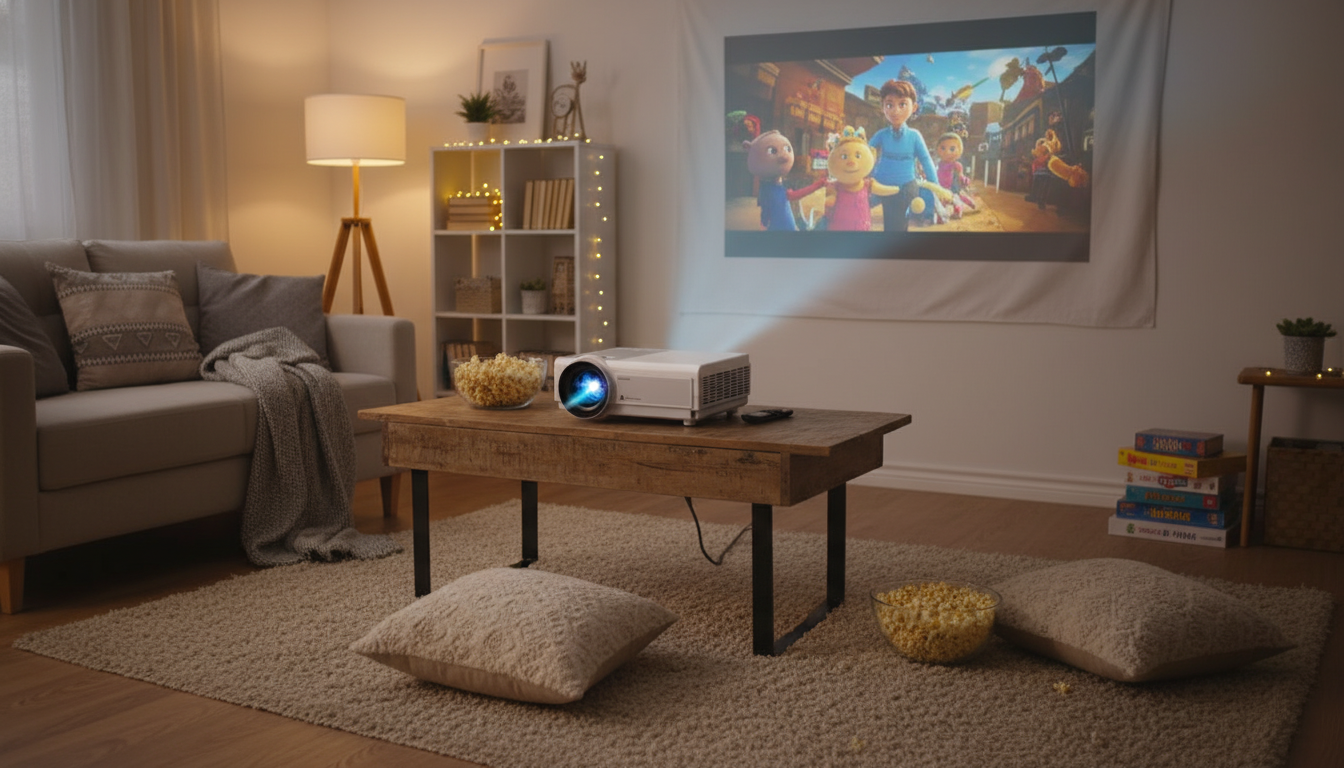
Mini LED Portable Smart Projector for Movie Nights Anywhere
A compact LED smart projector can turn a blank wall, sheet, or portable screen into a big-view experience at home, in a dorm, or on the road. The key is balancing brightness, focus, connectivity, and power options so setup stays simple whether the room is dark, dim, or unpredictable.
What Makes a Portable Smart Projector Worth Carrying
Portability matters most when a projector is easy to grab, quick to aim, and flexible enough to work with whatever devices you already have. The best small projectors focus on the basics—reliable image, simple controls, and practical connections—so movie night doesn’t turn into a troubleshooting session.
- LED light source: long lifespan, lower heat, and stable color over time compared with traditional lamps.
- Compact body and easy placement: quick to move between rooms, take to a friend’s house, or pack for a trip.
- Smart features: built-in apps or a smart interface can reduce the need for extra streaming devices.
- Wireless and wired inputs: flexibility for phones, laptops, game consoles, and media players.
- Fast setup: simple focus/keystone controls and predictable performance in small spaces.
Quick Checklist Before Buying
| Feature | Why it matters | What to look for |
|---|---|---|
| Brightness and room lighting | Determines how watchable the image is with ambient light | Higher brightness for living rooms; darker rooms need less |
| Native resolution and scaling | Affects sharpness for text, subtitles, and games | Native resolution that matches typical use; clean scaling for streaming |
| Focus and keystone correction | Helps keep edges sharp and image rectangular when placement is imperfect | Easy-access focus control; keystone adjustment options |
| Connectivity | Controls what devices can be used without adapters | HDMI/USB plus wireless casting where possible |
| Audio output | Built-in speakers may be limited for movies | Headphone/Bluetooth/external speaker support |
| Portability and power | Impacts where it can be used (bedroom, patio, camping) | Lightweight design; compatible with power banks or standard outlets where needed |
Picture Quality Basics: Brightness, Contrast, and Color
If a portable projector feels “amazing” in one room and “washed out” in another, the difference is almost always lighting and surface choice. A few small tweaks can make a dramatic improvement.
- Brightness is the first limiter: dim rooms allow larger, more saturated images; bright rooms typically require a smaller image or better light control (curtains, turning off lamps).
- Contrast influences perceived depth: darker walls reduce contrast compared with a dedicated screen.
- Color performance benefits from neutral surfaces: white or light gray screens/walls preserve color accuracy best.
- Throw distance and image size are linked: test a few placements (table, shelf, tripod) to find a sharp, comfortable size.
- For subtitles and UI text: prioritize sharp focus and avoid stretching the image too large for the space.
For deeper comparisons of specs and real-world performance, it helps to review established projector resources like Projector Central and the broader buying guidance at Consumer Reports.
Smart Features and Streaming Without the Hassle
Smart capabilities are most valuable when they reduce clutter: fewer cables, fewer devices to charge, and fewer steps to start watching. A good smart interface should feel simple—select an app, connect to Wi‑Fi, and press play.
- Built-in smart interfaces can simplify movie nights by reducing cables and device swapping.
- Wireless casting is convenient for quick clips and photos; a wired connection often provides steadier playback for longer sessions.
- App availability can vary; a streaming stick via HDMI can be a reliable backup if a favorite service is missing.
- Look for straightforward navigation and a remote that makes volume, input switching, and playback easy from the couch or bed.
Connectivity for Phones, Laptops, and Consoles
Connections determine what you can watch and how stable it feels. For most setups, it’s smart to plan around one “primary” connection (usually HDMI) and keep a backup option (casting or USB playback) for travel.
- HDMI is the most universal option for laptops, streaming sticks, and consoles.
- USB ports can be useful for local media playback (videos, photos) depending on supported file types.
- Bluetooth or audio-out options help when built-in speakers are not enough for a larger room.
- For gaming: prioritize stable connections and keep the setup simple: console → HDMI → projector; external speakers if needed.
Real-World Setup Tips for Small Rooms, Dorms, and Travel
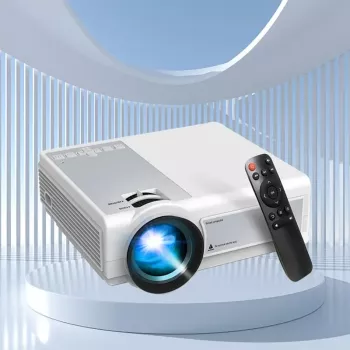
Mini LED Portable Smart Projector: Quick Product Snapshot
If the goal is a straightforward, packable projector for casual movie nights, dorm rooms, and flexible spaces, the Mini LED Portable Smart Projector is built around convenience and everyday use.
Movie Night Add-Ons (Optional)
- Large Capacity Y2K Puppy Pencil Case for storing adapters, remotes, and short cables so they don’t disappear in a dorm drawer.
- The Ultimate Potato Pack for Cozy Dinners – 10-in-1 Digital Recipe Bundle for easy crowd-pleasers when you’re hosting.
- Benefits of Positivity Bundle: Fuel Your Mind, Build a Positive Mindset & More for a low-key wind-down routine before an evening watch session.
Care, Maintenance, and Troubleshooting
FAQ
Can a portable LED smart projector replace a TV for everyday use?
It can work well for evening viewing and smaller spaces, especially in dim rooms where brightness limits aren’t as noticeable. In bright daytime conditions, a TV is typically easier to see unless you can darken the room and keep the image size reasonable.
Do portable smart projectors work with iPhone and Android casting?
Many support wireless casting, but compatibility can vary by phone model, network conditions, and app restrictions. For the most reliable connection—especially for long movies—using HDMI (with the appropriate phone adapter if needed) is often steadier than wireless.
What’s the easiest way to improve sound for a projector?
Pair an external speaker via Bluetooth or connect through an audio-out/aux option if available. If lip-sync feels off on Bluetooth, a wired speaker connection usually provides the most consistent timing.








Leave a comment